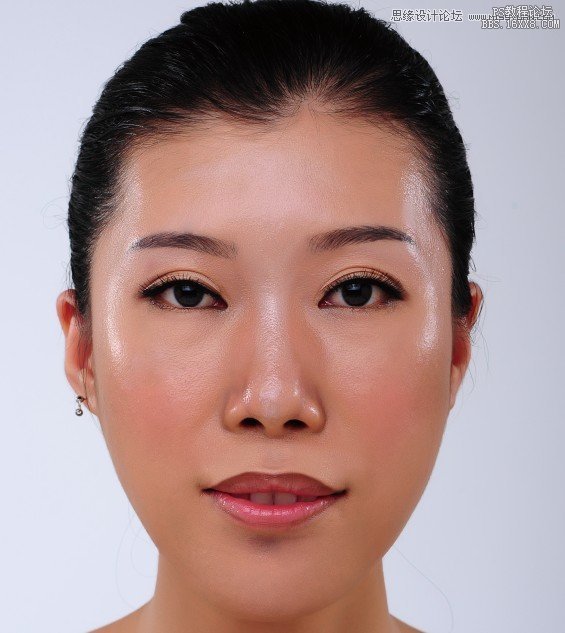
本案例主要通过使用“通道”面板和“加深工具”将人物脸部的油光去除。
由于要使用CMYK模式,可能造成色彩损失,建议复制一个新文件来做去油光处理,等处理完后,将皮肤部分贴回原文件。
先将图像的颜色模式设置为CMYK模式,然后比较通道面板中各个通道的图像效果,再使用“加深工具”在人物脸部的油光部分进行涂抹,最后使用“修复画笔”工具修饰脸部的颜色。
步骤:
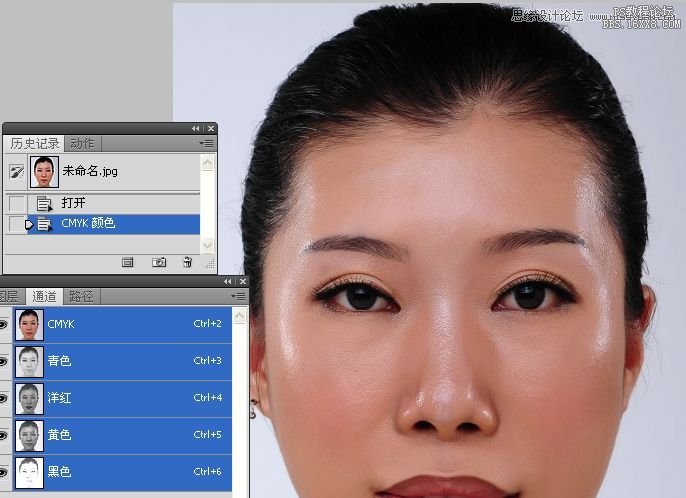
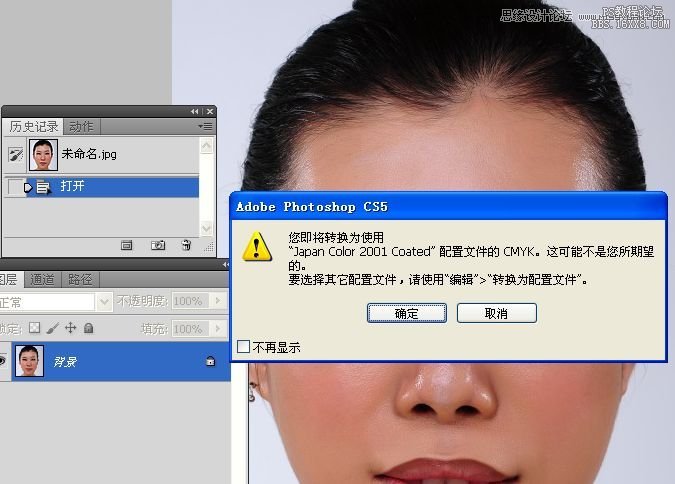
1。打开素材图,转换到CMYK模式。
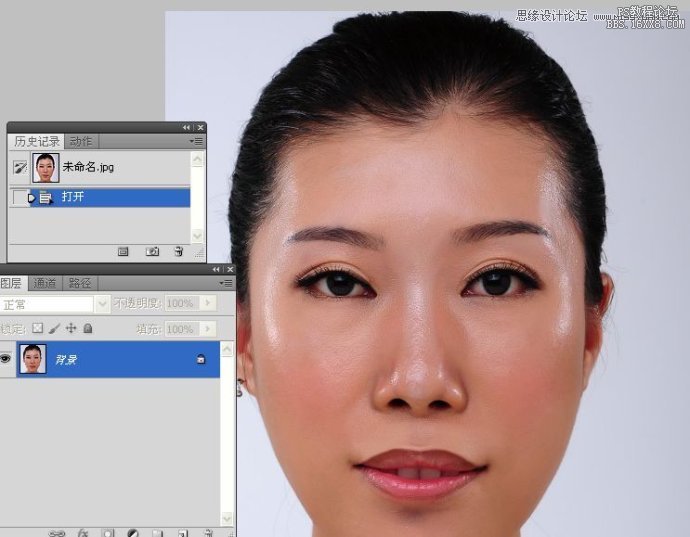
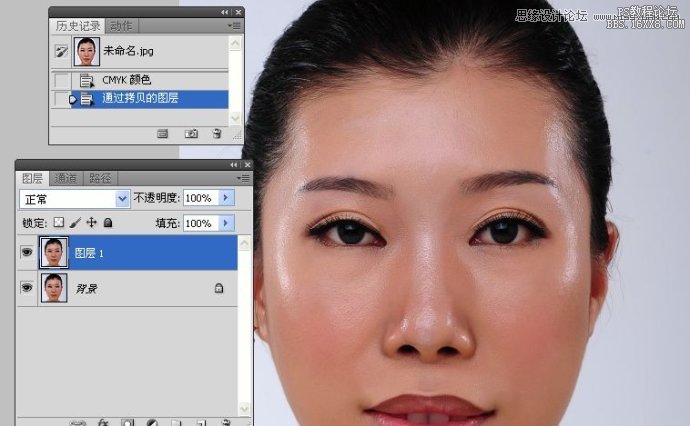
2。拷贝图层。进入通道面板。
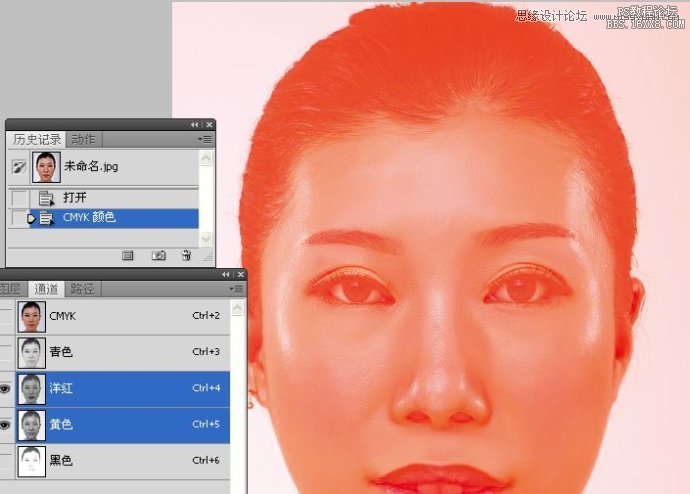
3。同进选取红、黄通道。 
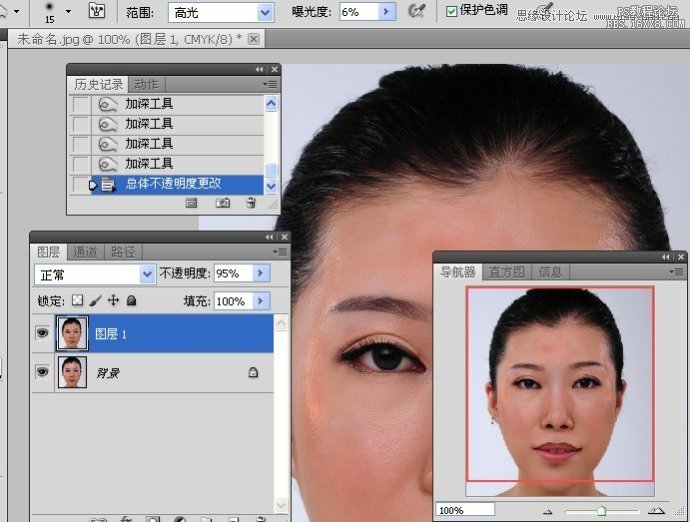
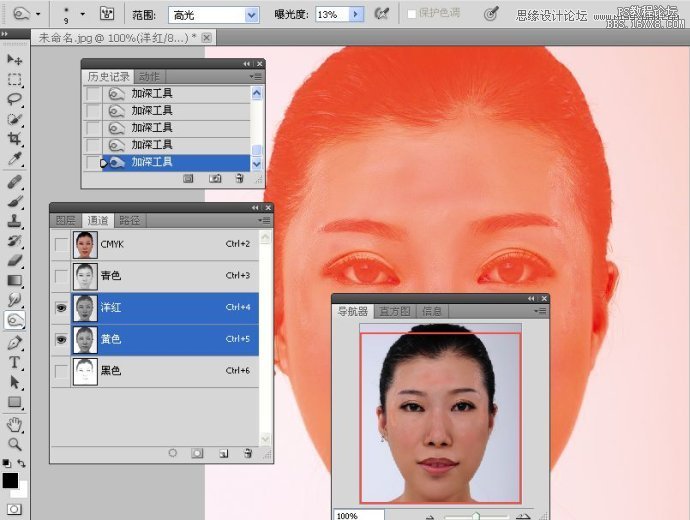
4。使用加深工具涂抹高光处。打开导航器观察图像的变化。
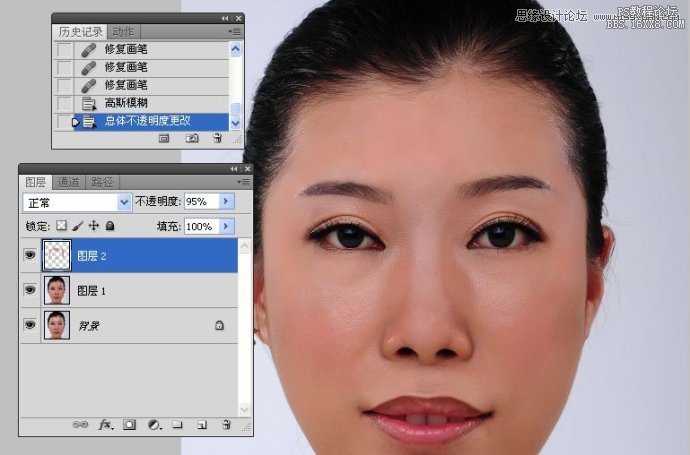
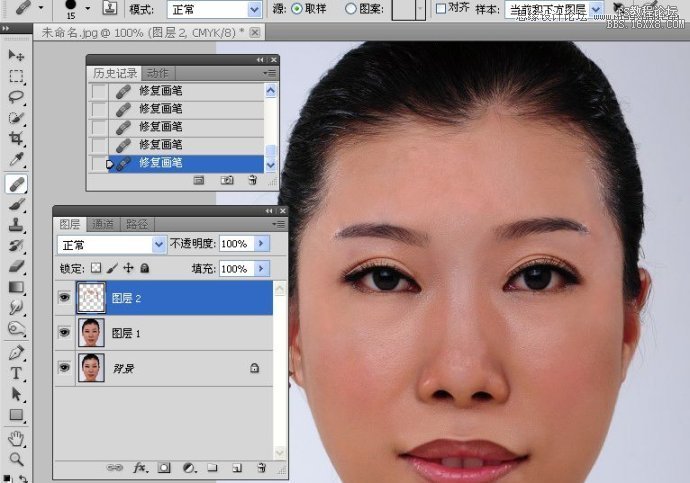
5。新建一空白图层,使用修复画笔工具修复皮肤纹理。 
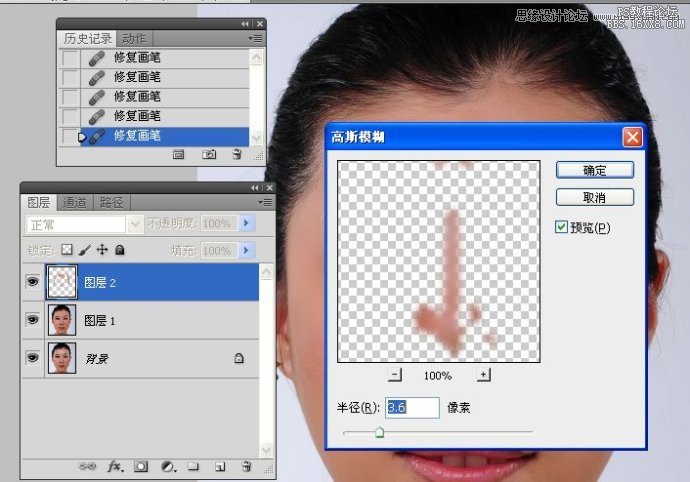
6。高斯模糊处理图像。
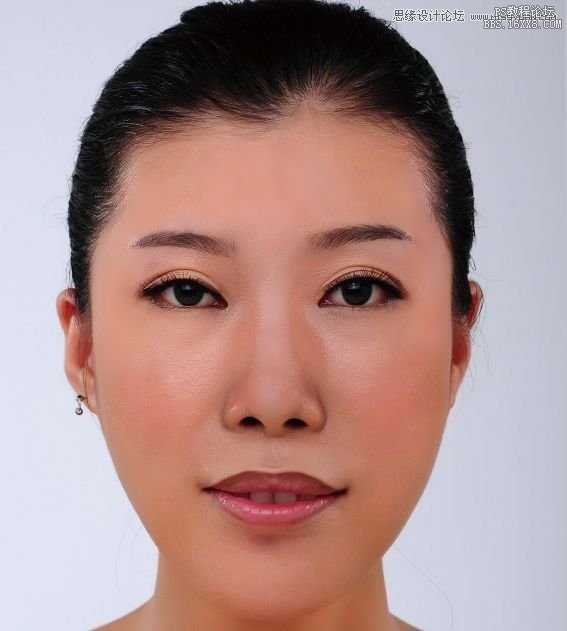
稍微再修下的效果图: 
转自:http://www.16xx8.com/photoshop/jiaocheng/111852_all.html

We use cookies to improve your experience on our site. By using our site, you consent to cookies.
Manage your cookie preferences below:
Essential cookies enable basic functions and are necessary for the proper function of the website.
These cookies are needed for adding comments on this website.
Statistics cookies collect information anonymously. This information helps us understand how visitors use our website.
Google Analytics is a powerful tool that tracks and analyzes website traffic for informed marketing decisions.
Service URL: policies.google.com
You can find more information in our Cookie Policy and Cookie Policy.