未知高度的图片垂直居中

图片的宽度和高度是未知的,没有一个固定的尺寸,在这个前提下要使图片在一个固定了宽度和高度的容器中垂直居中,想想感觉还是挺麻烦的,由于最近的项目可能会用到这个方案,所以把一些常用的方法都收集整理了一下。
下图是理想中的效果图,外部容器的宽度和高度是固定的,中间的图片宽度和高度未知,但是图片要始终要相对于外部的容器垂直居中。
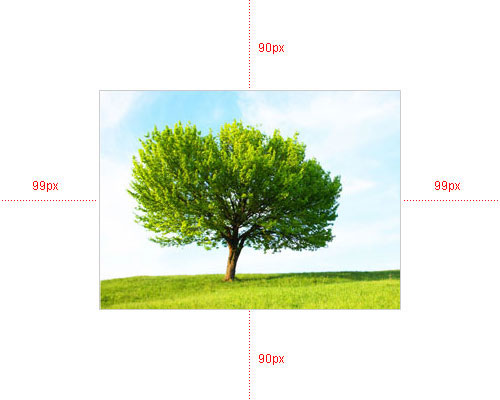
但是实际中实现的效果并不是很完美,由于各浏览器的解析都各不相同,所以各浏览器都会有1px-3px的偏差。
该方法是将外部容器的显示模式设置成display:table,img标签外部再嵌套一个span标签,并设置span的显示模式为display:table-cell,这样就可以很方便的使用vertical-align象表格元素那样对齐了,当然这只是在标准浏览器下,IE6/IE7还得使用定位。
HTML结构部分:
<div id="box">
  <img src="images/demo.jpg" alt="" />
</div>
CSS样式部分:
<!-- [if lte IE 7]>
<style type="text/css">
#box{
position:relative;
overflow:hidden;
}
#box span{
position:absolute;
left:50%;top:50%;
}
#box img{
position:relative;
left:-50%;top:-50%;
}
</style>

< ![endif]-->