Adobe Acrobat DC新版本显示发票字体问题

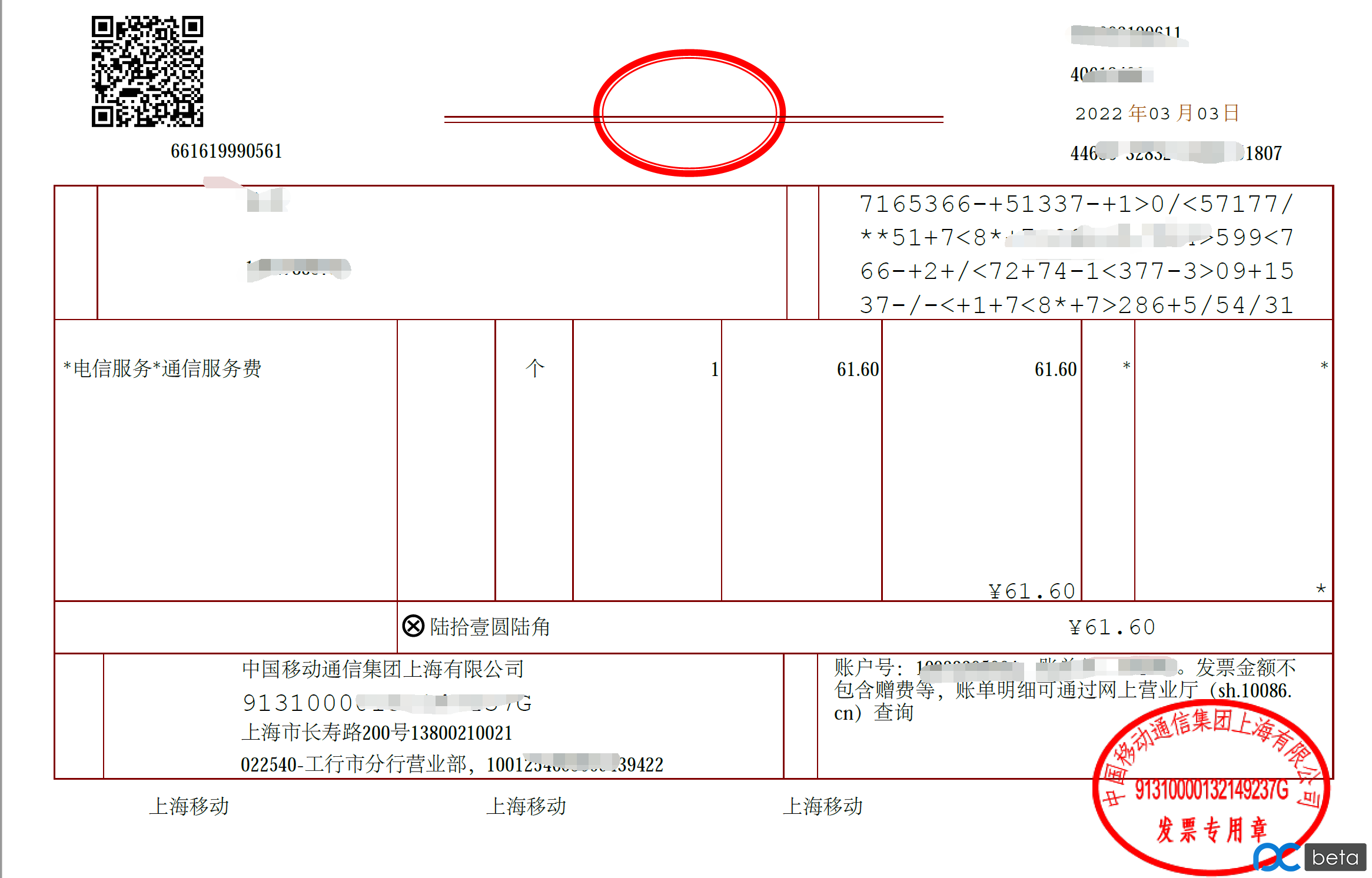
现在全国都再推电子发票,经常有人发现用Acrobat打开发票文字显示不全。
这是一个字体问题,原因是Acrobat最近一些版本可能改了语言处理,导致GB2312的字体不显示,不仅仅是64位的Acrobat,32位也一样有问题。
最后一个正确处理GB2312字体的版本是 2021.005.20060,之后的版本都不行。
但是,由于体制内单位,楷体GB2312是必须使用的字体。那么靠删除字体来解决,肯定不可行。
网上有人制作了2个字体文件,直接复制到C:\Program Files\Adobe\Acrobat DC\Resource\Font文件夹下,再打开Acrobat,发票就能正常显示。
We use cookies to improve your experience on our site. By using our site, you consent to cookies.
Manage your cookie preferences below:
Essential cookies enable basic functions and are necessary for the proper function of the website.
These cookies are needed for adding comments on this website.
Statistics cookies collect information anonymously. This information helps us understand how visitors use our website.
Google Analytics is a powerful tool that tracks and analyzes website traffic for informed marketing decisions.
Service URL: policies.google.com
You can find more information in our Cookie Policy and Cookie Policy.