Size Marks – 免费的PS尺寸标注脚本
Size Marks 是用在Photoshop的一个自动标注尺寸脚本,可以方便设计师和前端人员在效果图上添加尺寸,很实用哦!虽然很早就有类似的工具,但大部分为收费,而这个是免费的!下面来看看介绍:
- 安装方法
下载Size marks:微盘下载 - 复制 Size Marks.jsx 到Photoshop的脚本文件夹。
OS X: /Applications/[Photoshop]/Presets/Scripts/
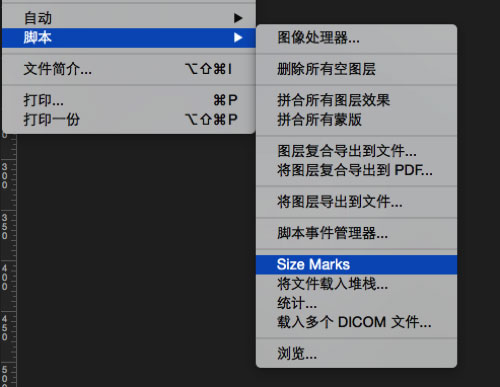
Windows: C:\[Program Files]\Adobe\[Photoshop]\Presets\Scripts - 重启Photoshop,点击【文件】菜单 – 【脚本】 -Size Marks,如果有显示,表示安装成功了,如下图。

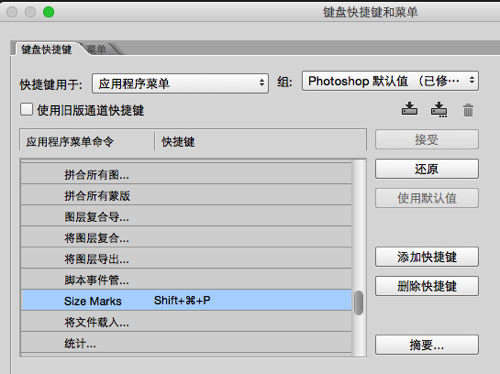
- 设置脚本快捷键,点击【编辑】菜单 – 【键盘快捷键和菜单】- 然后拉到Size Marks上为其设置快捷键。如下图:
建议使用快捷键:
OX S系统:Shift+cmd+P
WIN系统:Shift+Ctrl+P
使用方法
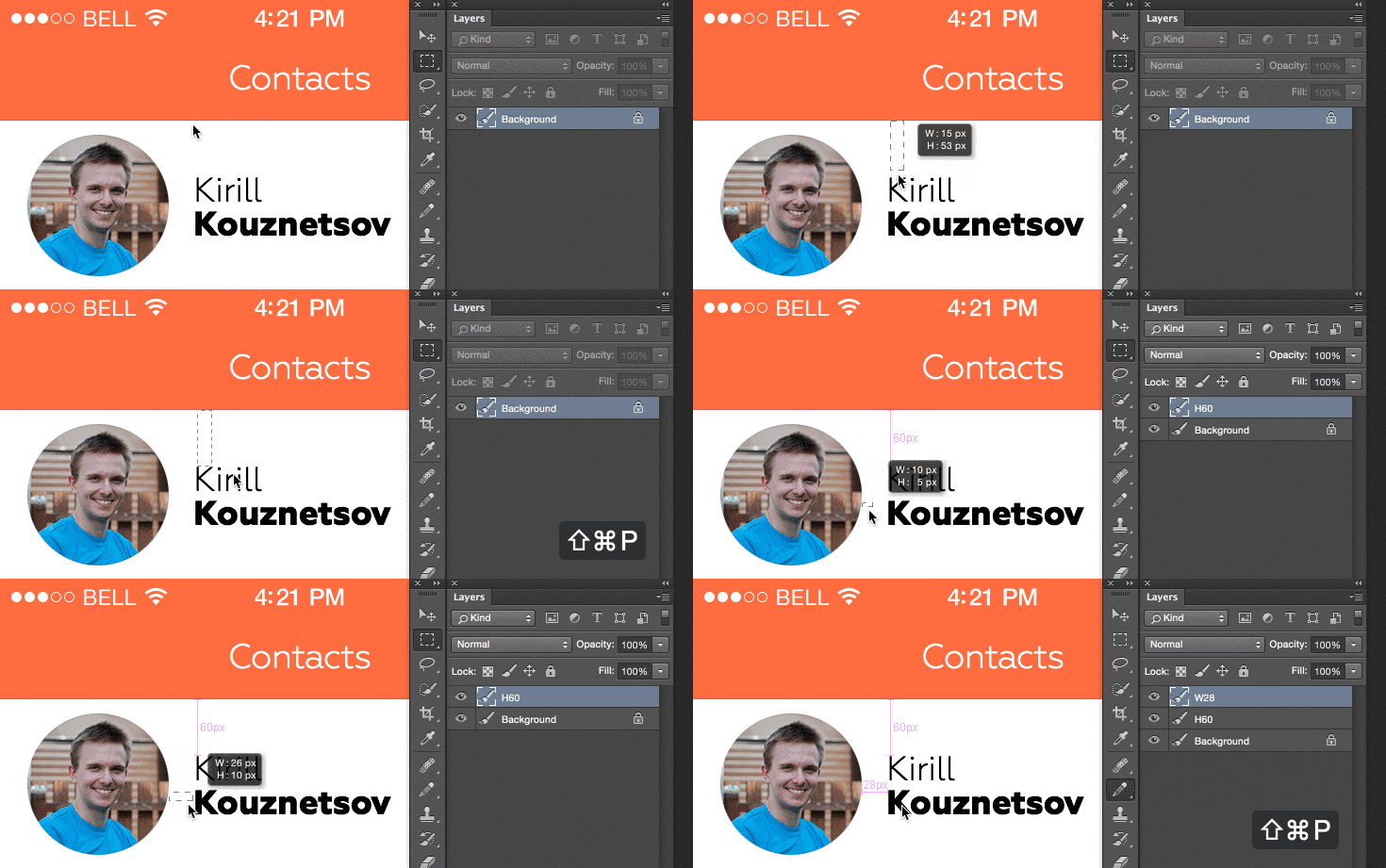
使用这个扩展是很简单的,直接看下面的GIF图你就会明白了。
1. 选择“矩形选框工具(M)”
2. 绘制一个矩形
3. 按刚才设置的脚本快捷键Shift+Ctrl+P,接着就会自动显示标注了,如下图:
疑问
Size Marks脚本是如何判断水平和垂直标注呢?
经设计达人网小编测试,它是根据你画的矩形的长度来判断的。比如你画了个25 * 30px的矩形,那么它就以30px来标注,如果是正方形,就默认为垂直标注。
有好的工具推荐?请在下方留言处给分享给大家,并有机会被设计达人网收录并分享哦!